MonitorPilot is a lightweight, private, native tray app that finally gives Windows 11 real control over external displays. It speaks DDC/CI—the standard protocol your monitor already understands—so there are no drivers to install, and exposes brightness, contrast, input source, volume, color temperature, and power as clean sliders reachable straight from the system tray. Beyond the sliders, MonitorPilot is built for automation and reliability: named profiles switch your whole desk in a click, an advanced rules engine reacts to the foreground app, time of day, sunrise/sunset, battery, and more, Workspaces restore your entire multi-monitor setup after docking, and every panel is fingerprinted by its hardware EDID so settings always reattach to the right screen. Written in Rust with a WebView2 front end—not Electron—it targets under 15 MB of idle RAM, makes no network calls, and keeps everything on your machine.
Pay once. Own it forever.
One-time purchase on the Microsoft Store · No subscription · Instant install
Buy through the Microsoft Store—instant install, automatic updates, and a Microsoft receipt for easy expensing. No account needed on our site, and no subscription on Store purchases.
Key Benefits
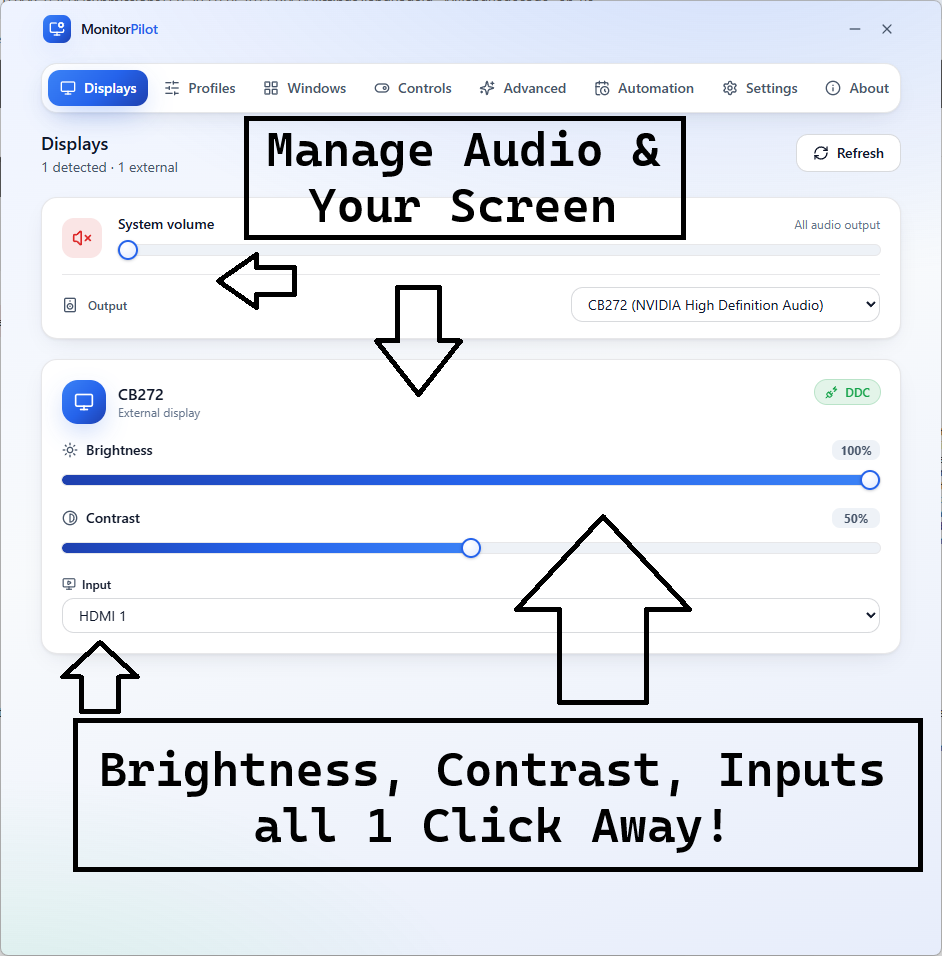
Control every external display from one window or the tray: brightness, contrast, input source, volume, color temperature, and power over standard DDC/CI—no kernel drivers required.
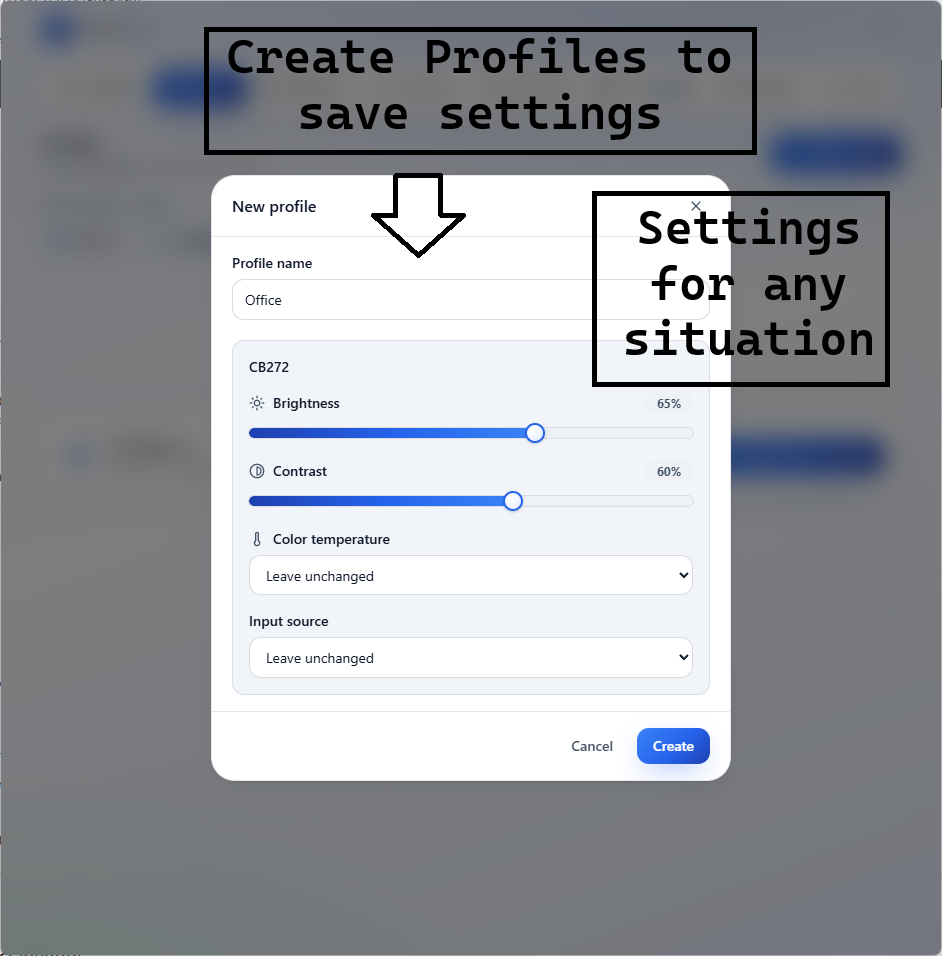
Named profiles (Work, Gaming, Night, or your own) switch every monitor at once, and per-app automation applies a profile, preset, or custom brightness the moment an app takes focus.
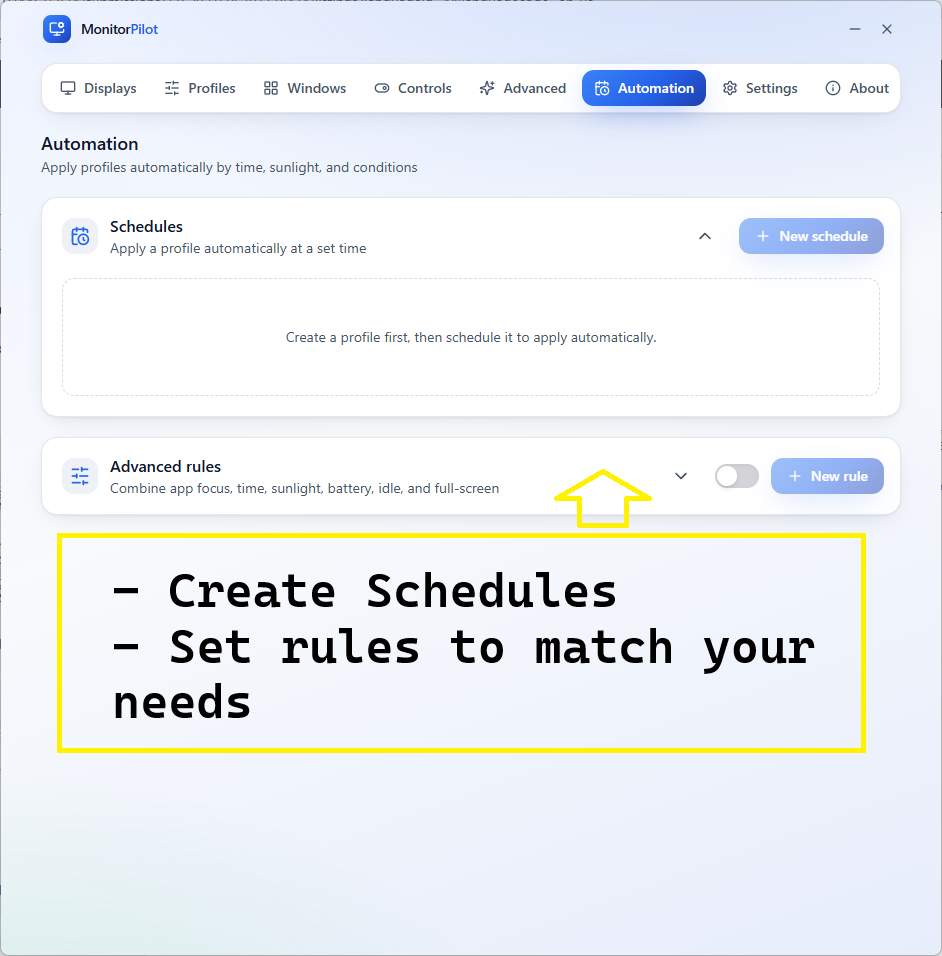
Advanced rules engine: combine foreground app, window title, time of day, sunrise/sunset, battery state, idle time, full-screen, and virtual desktop with AND/OR/NOT logic and optional gradual transitions.
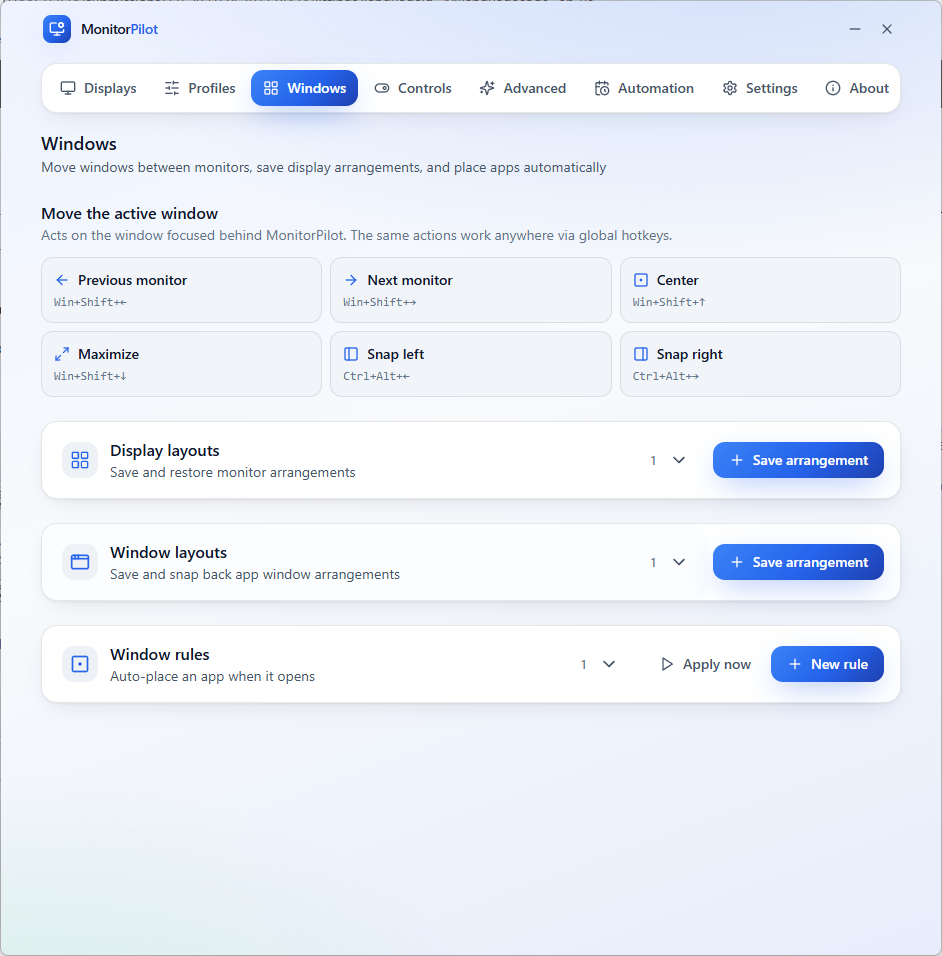
Workspaces and window management: restore your whole multi-monitor desk in one click after docking, and move, snap, center, or maximize windows across screens with global hotkeys.
Reliable by design: monitors are keyed by a hardware EDID hash so settings never land on the wrong screen, a serialized bus-safe queue protects fragile DDC/CI controllers, and settings are crash-safe.
Featherweight, native, and private: built in Rust with WebView2 (not Electron), under 15 MB idle RAM target, sub-250 ms cold start, 100% offline with no account, no telemetry, and no network access.
Use Cases
Multi-monitor desk workers who want one profile to set brightness, contrast, input, and color across every screen at once
Laptop and dock users who are tired of re-fixing their displays every time they reconnect—Workspaces restore the whole setup in a click
Creators and gamers who want the right brightness and color per task, switched automatically when Photoshop, a game, or a movie takes focus
Privacy-minded professionals who refuse to run a tray app that phones home, and anyone who just wants a brightness slider that works on an external monitor
Use This When
Control external monitor brightness, contrast, input, volume, and color on Windows 11 without fumbling with the buttons under the bezel
Automate per-app and time-of-day monitor settings across a multi-monitor desk instead of adjusting each screen by hand
Restore the correct display settings after docking or undocking without Windows reshuffling which monitor is which
See it in action
See MonitorPilot in action
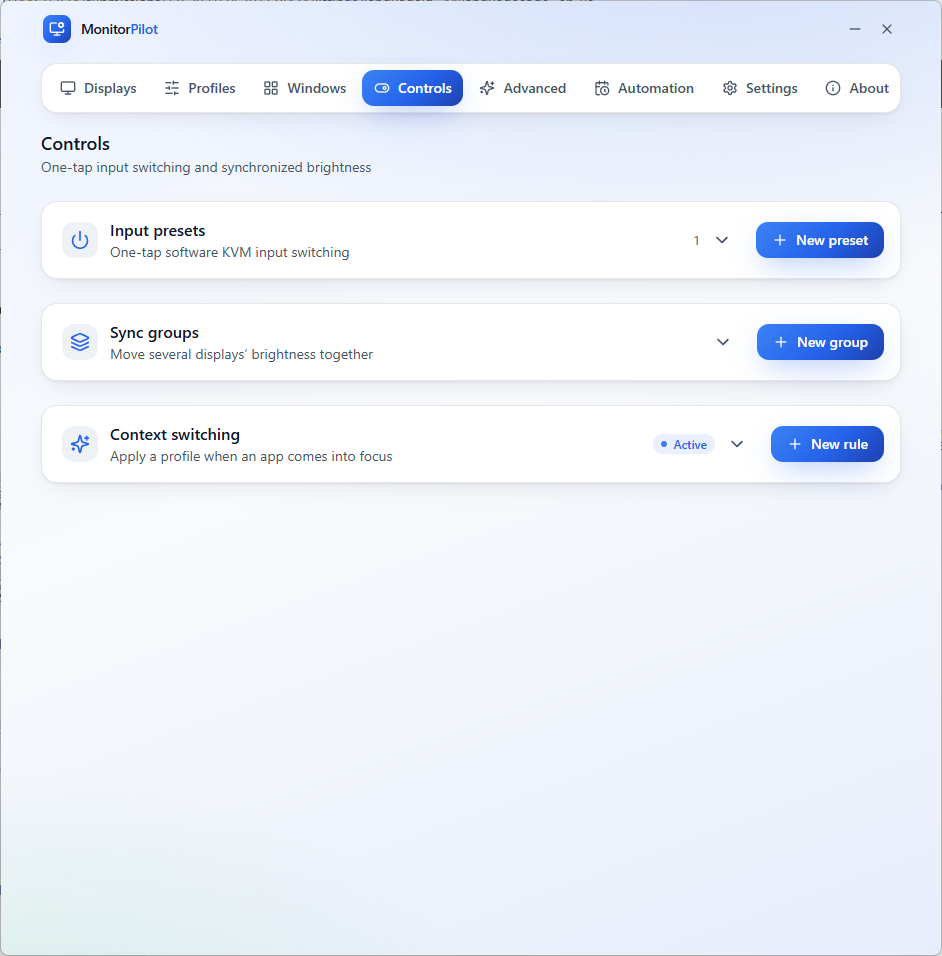
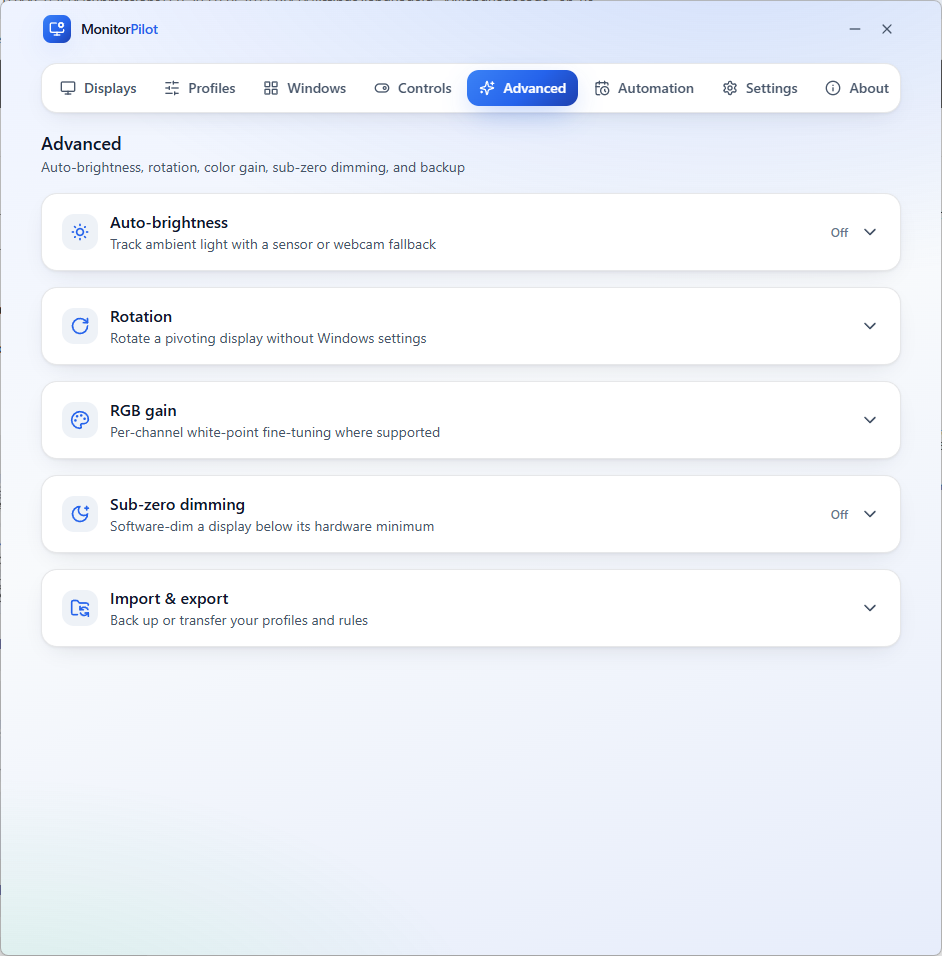
Every external display in one window — brightness, contrast, input, volume, and colour at a glance, straight from the tray. Fine-grained controls per panel, plus sync groups and input presets — all driven over standard DDC/CI, no drivers required. Capture the whole desk as a named profile — Work, Gaming, Night — and switch every screen at once with a click or hotkey. Build rules that fire on their own: combine app focus, time of day, sunrise/sunset, battery, and more with AND/OR/NOT logic. Move, snap, and auto-place windows across monitors with global hotkeys — a layer that works even on laptop panels. Advanced controls — fine colour, rotation, and an on-device sunrise-to-sunset brightness curve with no location lookups.
Technical specifications
Technical specifications for procurement
Spec
Implementation
Data Sovereignty
Profiles, rules, workspaces, and per-monitor names are stored locally; no cloud sync or remote backup
Telemetry Status
None; no account, no analytics, and no outbound network access by policy
Core Runtime
Rust core with a WebView2 front end (not Electron); controls displays over standard DDC/CI
Network Requirements
Fully functional offline; sunrise/sunset and adaptive brightness are computed on-device with no location lookups
Deployment Compatibility
Windows 11 only; controls external DDC/CI displays (laptop built-in panels generally do not expose DDC/CI)
Controls
Brightness, contrast, input source, volume, color temperature, and power per display
Automation
Profiles, per-app context switching, and a rules engine over app/time/solar/battery/idle/full-screen/virtual desktop
Target under 15 MB idle RAM and sub-250 ms cold start (verified on QA hardware)
For organizations
Enterprise Managed Deployment Available
MonitorPilot is available in an enterprise managed deployment version for organizations rolling out
multi-monitor fleets. Because these deployments sit outside the Microsoft Store update channel, they
are licensed per seat under one of three options: a perpetual licence with critical security updates
only, that licence plus annual maintenance, or an annual subscription that earns a perpetual fallback
licence. Contact [email protected] to request an evaluation
copy and discuss volume licensing.
MonitorPilot is a lightweight, private, native tray app that finally gives Windows 11 real control over external displays. It speaks DDC/CI—the standard protocol your monitor already understands—so there are no drivers to install, and exposes brightness, contrast, input source, volume, color temperature, and power as clean sliders reachable straight from the system tray. Beyond the sliders, MonitorPilot is built for automation and reliability: named profiles switch your whole desk in a click, an advanced rules engine reacts to the foreground app, time of day, sunrise/sunset, battery, and more, Workspaces restore your entire multi-monitor setup after docking, and every panel is fingerprinted by its hardware EDID so settings always reattach to the right screen. Written in Rust with a WebView2 front end—not Electron—it targets under 15 MB of idle RAM, makes no network calls, and keeps everything on your machine.
How is MonitorPilot licensed?
On the Microsoft Store, MonitorPilot is a one-time purchase—you pay once and own it, with no subscription, no recurring fees, and no usage limits. See the Store listing for current pricing. Organizations buying volume or direct outside the Store choose from three per-seat options: a one-time perpetual licence with critical security updates only; the same perpetual licence plus annual maintenance for ongoing updates and support; or a single annual per-seat subscription that earns a perpetual fallback licence. Email [email protected] for details.
What platforms does MonitorPilot support?
MonitorPilot runs on Windows. It is a native desktop application built with Rust and Tauri for minimal resource usage and maximum performance.
Does MonitorPilot require an internet connection?
No. MonitorPilot is a local-first utility that runs entirely on your device. It does not upload data to the cloud, does not require an account for core functionality, and works fully offline after installation.
Does MonitorPilot collect telemetry or usage data?
No. MonitorPilot has zero telemetry. It does not phone home, does not track usage patterns, and does not send any data off your machine. Your files and workflow stay private.
Is MonitorPilot available for enterprise deployment?
Yes. MonitorPilot is available in an enterprise managed deployment version for organizations rolling out multi-monitor fleets. It is licensed per seat under one of three options: a one-time perpetual licence with critical security updates only; that licence plus annual maintenance for ongoing updates and support; or a single annual per-seat subscription that earns a perpetual fallback licence. Email [email protected] to request an evaluation copy and discuss volume licensing.