What is MeasureSet?
MeasureSet is a Windows app for construction takeoff from plan PDFs: set the scale from a dimension you know, measure length, area, and counts, and export the totals to Excel, CSV, or a marked-up PDF. It works on your PC with no account, and nothing uploads.
How do I set the scale on a plan PDF?
Choose the Calibrate tool, click both ends of a dimension printed on the sheet, and type its length, such as 40'-0" or 12.2 m. Or pick a standard architectural, engineering, or metric scale in the Scale box, which assumes a full-size sheet. The calibration dialog can also apply the scale to every sheet that has none.
How far can I trust the measurements?
A measurement is only as good as the calibration and the drawing. Calibrate from the longest printed dimension you can find, then check a second one with the segment tool. A reduced print, a sheet marked not to scale, or a dimension that does not match its line carries its error into every quantity on that sheet.
What does the room tool do?
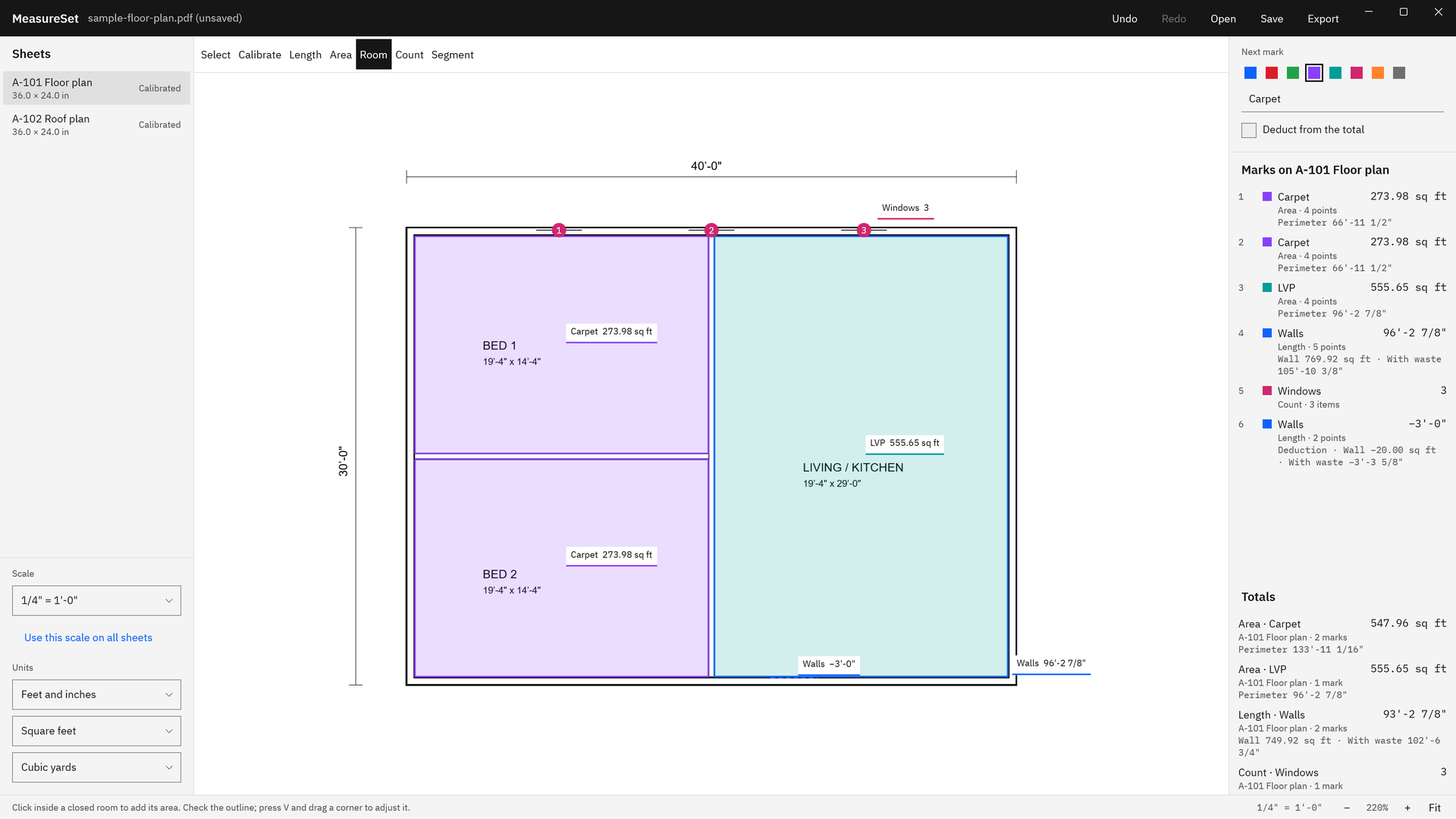
Click inside a closed room and MeasureSet adds its floor area, wall to wall where the walls are drawn filled on a calibrated sheet; Shift+click measures only the open floor. It reads the drawing, so open-plan spaces, dimension lines across a room, and openings without door symbols need an outline drawn point by point.
Can it work out wall area, volume, roof slope, and waste?
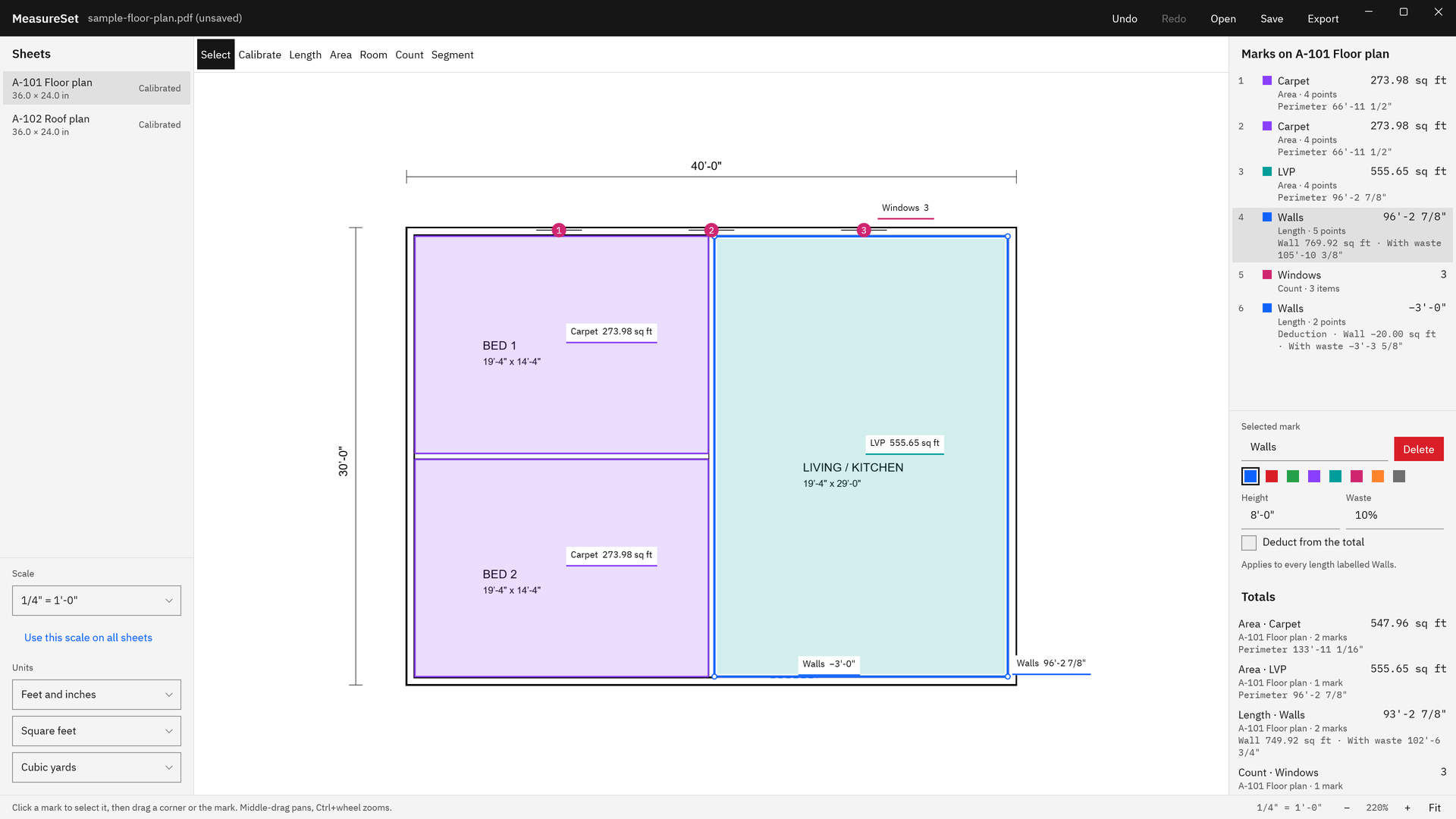
Yes. Give a length's label a height for wall area, an area's label a depth for volume or a roof slope for sloped area, and any label a waste percent. Every mark with that label follows. Doors and windows marked as deductions keep their own height.
What can I export?
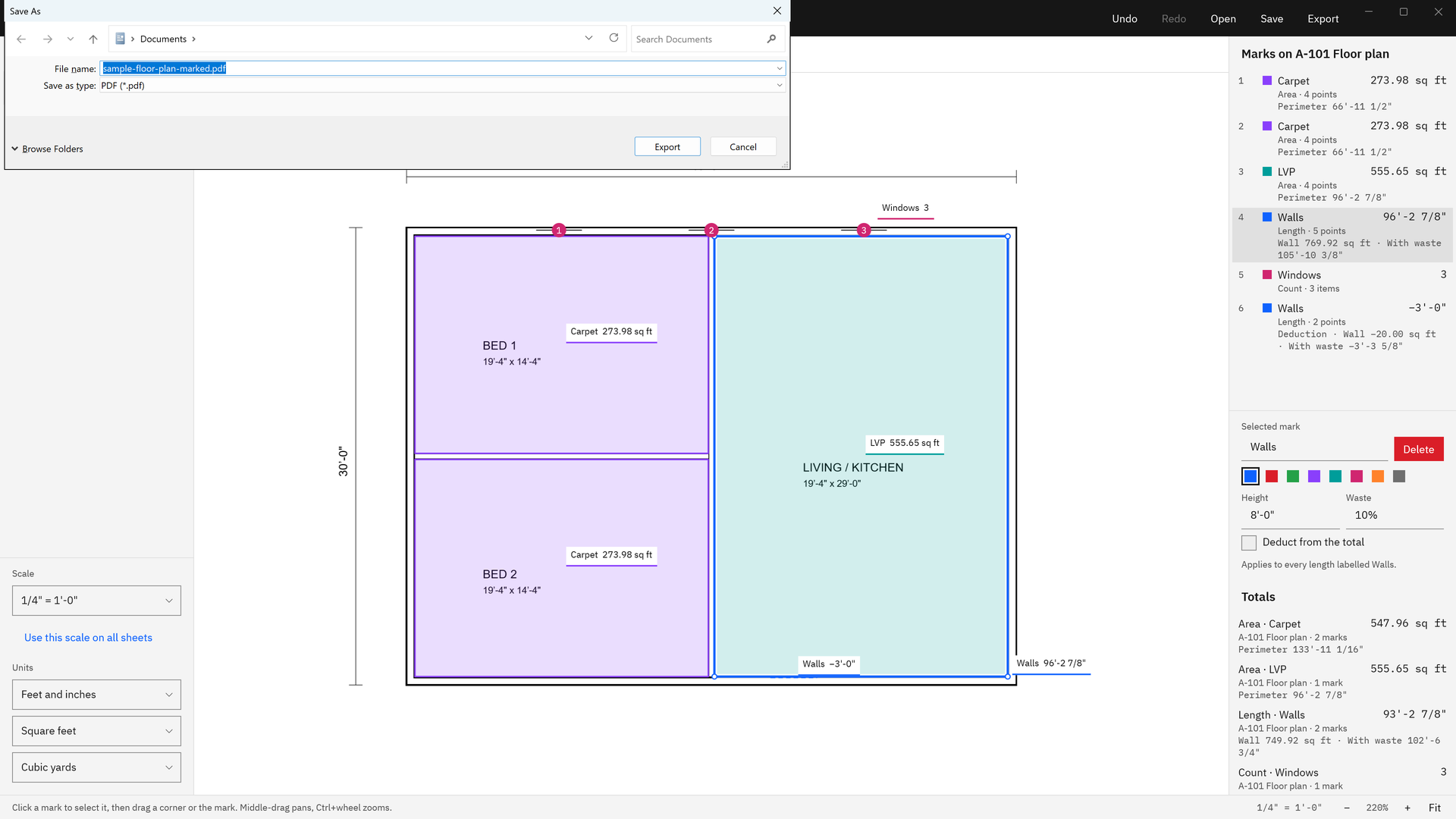
An Excel workbook (.xlsx) with a Marks sheet and a Totals sheet, a CSV file with the same two tables, and a marked-up PDF of the measured sheets followed by a totals page. Jobs save as .measureset project files that reopen with every scale and mark.
Will it change my original plan PDF?
No. MeasureSet only reads plan PDFs and never writes over one. Exports are new files you name in the Windows save dialog, and the app refuses to save a marked-up PDF over any plan open in the session, checked by path and by content.
Does anything leave my PC?
No. MeasureSet works on your PC with no account, no upload, and no telemetry, and the app makes no network calls. It opens only the PDFs you pick and writes only the files you name.
Is it an estimating suite?
No. It is a takeoff ruler: it measures and totals quantities, then hands them to Excel or CSV for your own pricing. It has no assemblies, no cost database, and no cloud collaboration.
Can I compare a revised drawing?
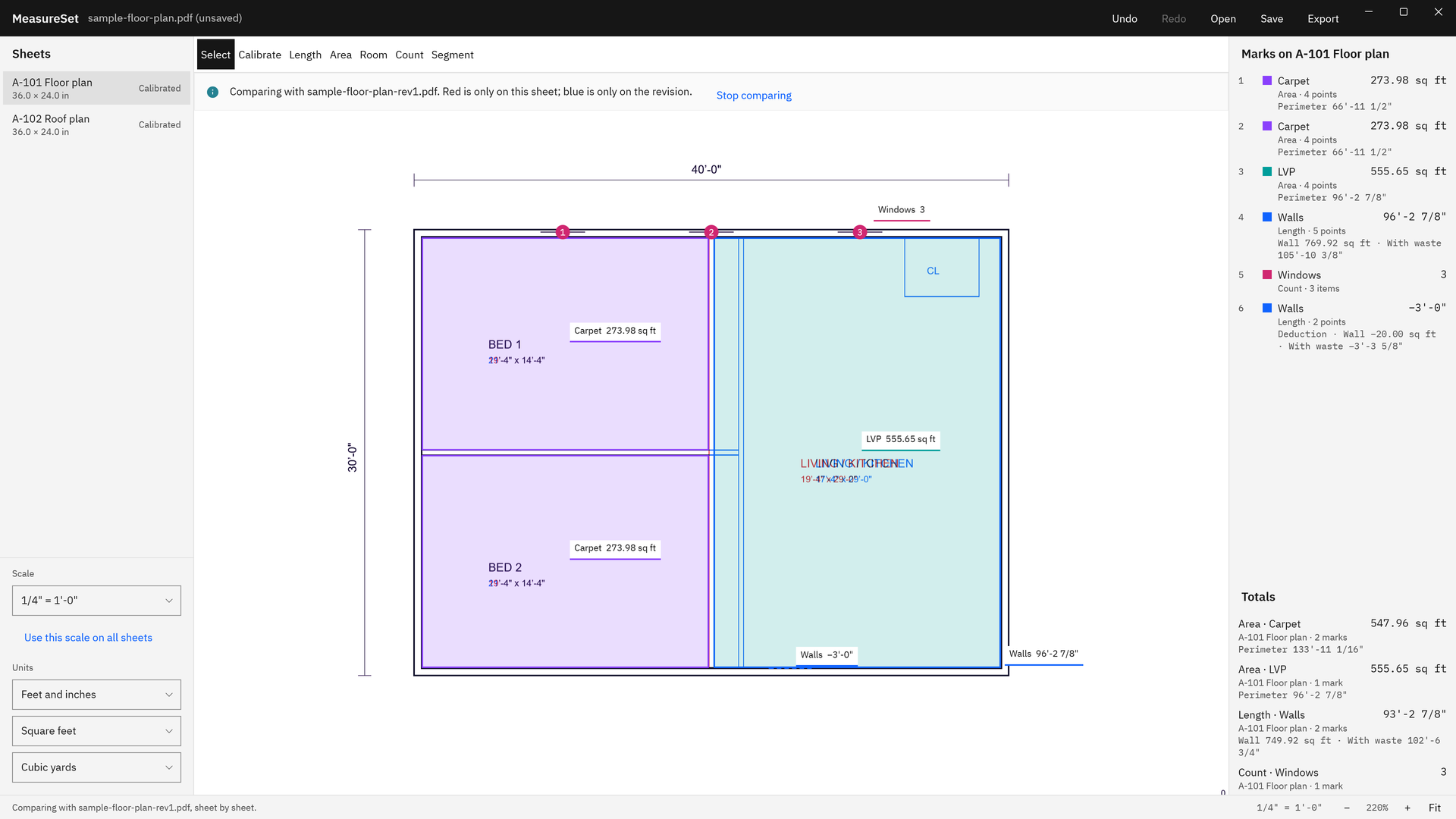
Yes. Choose Open > Revision to compare and pick the revised PDF. It is blended with the current sheet: red is only on this sheet, blue is only on the revision. Sheets are paired by number, and the app warns when a sheet's shape differs.
Which files does it open?
PDF files only, picked in the Windows file picker. One project can hold several PDFs, such as an architectural set and its addenda, and recent projects and PDFs are listed on the start screen.
What does it cost, and is there a trial?
MeasureSet is a one-time purchase in the Microsoft Store, and the listing shows the current price. The Store runs a 15-day free trial with the full app, so you can measure your own plan set first. There is no subscription, no license code, and no Buy button in the app.
What Windows version do I need?
Windows 10 version 2004 or later, or Windows 11. The Microsoft Store package is built for x64 PCs, and the app installs no driver or service and never asks for elevation.