Taskbar Sentinel: back up your pinned apps & restore your taskbar in one click — on the Microsoft Store.
Available on Windows $3.79 USD

Clean photo metadata locally. Organize whole libraries at full speed.

Strip GPS. Preview every change. Sort by EXIF. Never upload a single photo.

MetaForge is a native Windows workstation for photo metadata. Remove location and device data before you share, auto-organize messy dumps using the EXIF you already captured, and batch-write copyright and keywords — with a Simulation Report that shows exactly what will happen before a single file is touched.

$3.79 USD · $4.99 USD · pay once, own forever · 100% offline

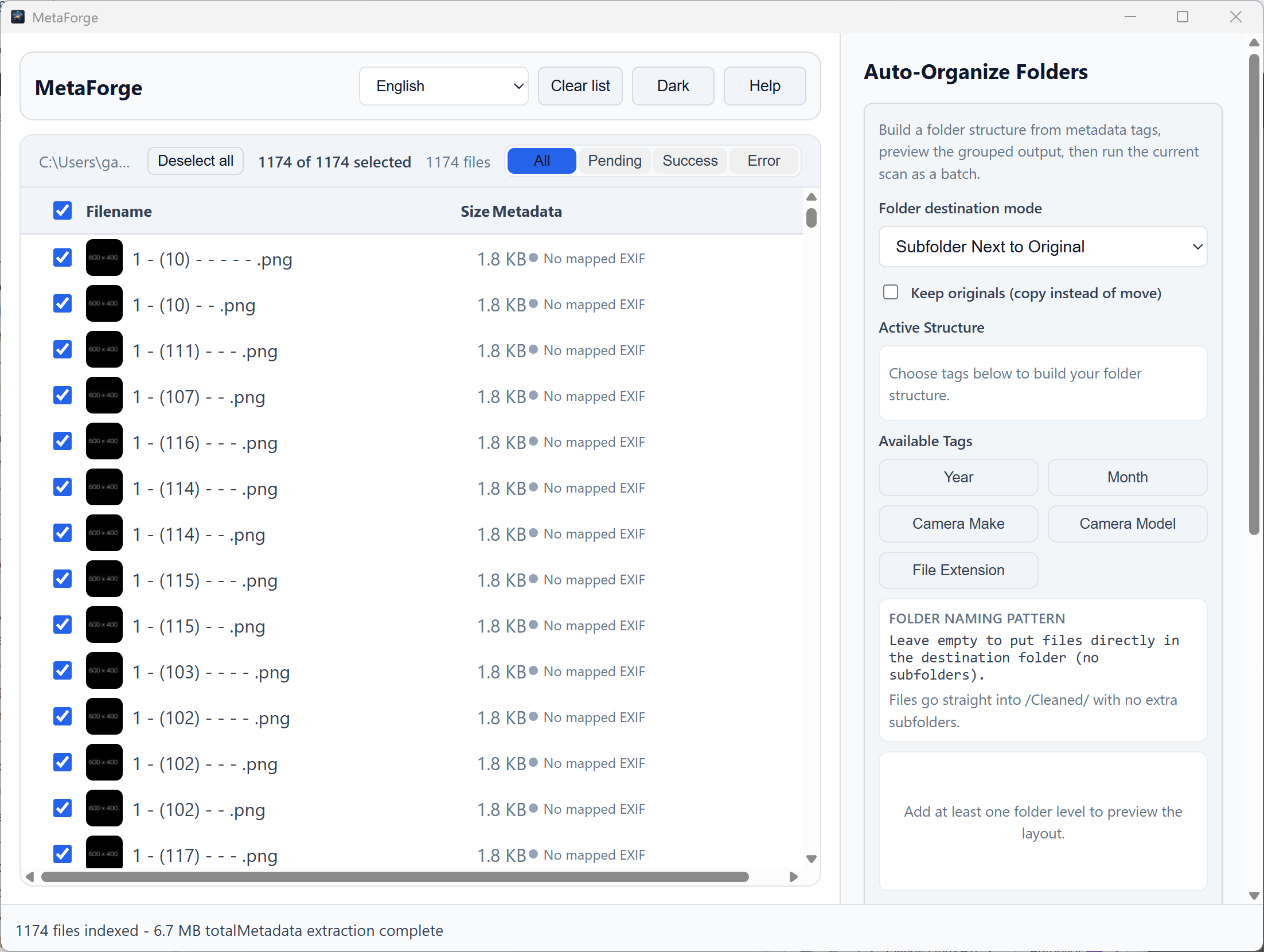
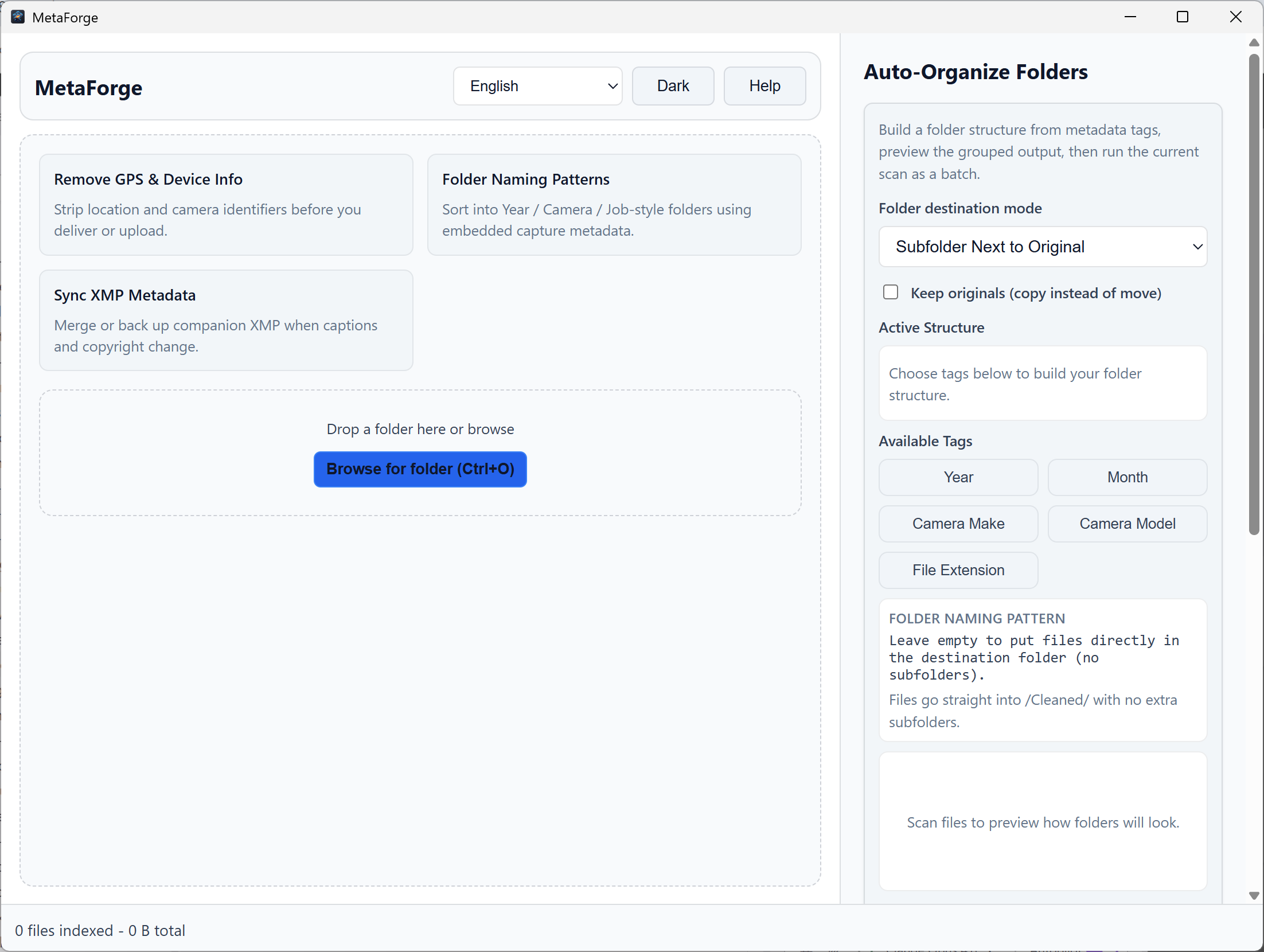
MetaForge running on Windows 11, showing the scanned file list with EXIF metadata badges and the Auto-Organize panel.

A native desktop interface for batch metadata work

The old workflow

Metadata is stuck between brittle CLIs and cloud detours.

Most metadata tools either force you into the command line or ask you to hand sensitive image data to a browser uploader. That breaks the moment a job is privacy-sensitive, time-sensitive, or both — and you still can’t see what a script did until after it ran.

The MetaForge fix

Scan the metadata. Preview the plan. Strip and route locally.

MetaForge gives you a deterministic desktop workflow. Review the fields, run a Simulation Report to see every move and rename first, then apply the batch — all on your own machine, so you are always sure what will happen before it does.
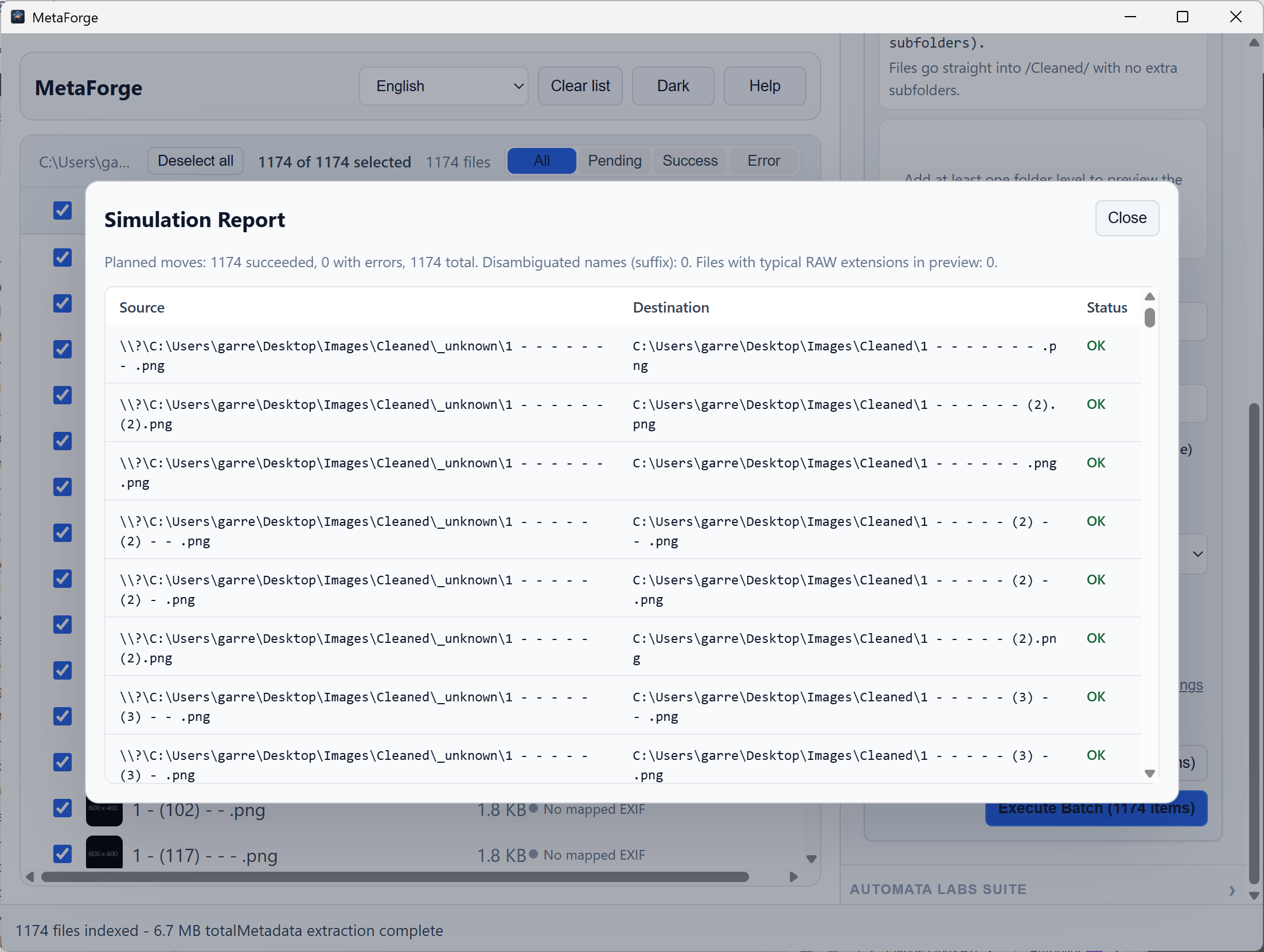
MetaForge Simulation Report listing planned source and destination paths with status before execution.
Simulate Run shows every planned move and rename before a single file is touched

See it in action

Scan, preview, and organize — in one native interface.

MetaForge after scanning a folder: each photo is tagged with GPS, Date, Copyright, and RAW metadata badges.
MetaForge Simulation Report previewing every planned move and rename before a single file is touched.
MetaForge Auto-Organize panel building a folder structure from Year, Month, and Camera Model tags.

What you can do

Strip, preview, organize, and tag — without leaving your machine.


MetaForge after scanning a folder: each photo is tagged with GPS, Date, Copyright, and RAW metadata badges.

Strip GPS & device data — Privacy Mode

Turn on Privacy Mode and MetaForge removes geolocation, altitude, and camera serial numbers from a whole folder before you deliver or upload. The cleanup runs on your disk with a Rust engine — your photos never touch a browser uploader or someone else’s server.

MetaForge Simulation Report previewing every planned move and rename before a single file is touched.

Preview every change with Simulate Run

Before anything is written, run a Simulation Report that shows every planned move and rename, flags name collisions it would auto-suffix, and counts the RAW files in the batch. You see exactly what will happen — then commit only when the plan looks right.

MetaForge Auto-Organize panel building a folder structure from Year, Month, and Camera Model tags.

Auto-organize by the metadata you captured

Build folder structures from real EXIF signals — Year, Month, Camera Make, Camera Model, and file extension — instead of unreliable “date copied” timestamps. Route into a subfolder next to the originals, a specific destination, or reorganize in place, and keep originals by copying instead of moving.

MetaForge after scanning a folder: each photo is tagged with GPS, Date, Copyright, and RAW metadata badges.

Write copyright, author, and IPTC keywords in bulk

Stamp ownership and rights across an entire batch: copyright text, author, and keyword tags applied in one pass. XMP Metadata Sync (Skip, Merge, or Backup & Merge) keeps companion sidecar files for RAW photos consistent instead of orphaned.

MetaForge Simulation Report previewing every planned move and rename before a single file is touched.

Built for real libraries — and 20 languages

A native Tauri + Rust app that saturates local cores to chew through tens of thousands of files, with drag-and-drop folders, a live progress overlay with throughput, light and dark themes, and a fully translated interface in 20 languages. Local-first, no telemetry, one-time purchase.

Local-first by design

Your photos never leave the machine.

  • Privacy Mode strips GPS, altitude, and camera serial numbers
  • Simulate Run previews every move and rename before committing
  • Keep originals — copy instead of move on any batch
  • XMP sidecar sync: Skip, Merge, or Backup & Merge for RAW
  • Rust engine that saturates local cores on huge folders
  • 100% offline, no telemetry, no account — interface in 20 languages

Use This When

  • Strip GPS and sensitive photo metadata before sharing images with clients or platforms
  • Preview exactly what a batch metadata job will do before any file is changed
  • Organize large photo libraries locally by EXIF date, camera model, or lens
  • Batch-write copyright and IPTC keywords without sending files to cloud tools

Technical specifications

Facts for technical buyers

Spec Implementation
Data Sovereignty 100% on-device EXIF/IPTC reads and writes; no upload pipeline for core metadata workflows
Telemetry Status Disabled; no analytics SDK in shipping builds
Core Runtime Rust engine with native macOS and Windows file I/O
Network Requirements Fully functional offline after install
Deployment Compatibility macOS (Apple Silicon + Intel); Windows via Microsoft Store and direct purchase
Supported formats JPEG, PNG, TIFF, HEIC (read), WebP, and common camera RAW sidecars
Licensing Perpetual one-time purchase; platform policy applies

MetaForge vs ExifTool, cloud scrubbers & Lightroom-style workflows

A practical comparison of privacy posture, batch scope, offline execution, and when a focused EXIF cleanup tool with a preview step beats a full DAM or CLI-only pipeline.

Explore MetaForge workflow guides for GPS batch removal, IPTC and copyright cleanup, ExifTool-style alternatives, and more.

Read comparison guide

FAQ

Quick answers

How do I strip GPS from thousands of photos on Windows without uploading them?

Point MetaForge at the folder, turn on Privacy Mode, and run the batch. It removes GPS coordinates, altitude, and camera serial numbers locally with a Rust engine — no browser uploader, no cloud service, and no copies of your photos leaving the machine.

Can I preview what MetaForge will do before it changes my files?

Yes. Simulate Run produces a full Simulation Report: every planned move and rename, any name collisions it would auto-suffix, and the number of RAW files in the batch. Nothing is written until you confirm, so you can verify the plan first.

Can MetaForge organize a messy photo dump into folders automatically?

Yes. Auto-Organize builds folder structures from embedded EXIF tags — Year, Month, Camera Make, Camera Model, and file extension. Route files into a sibling folder, a specific destination, or reorganize in place, and keep originals by copying instead of moving them.

Can it batch-edit copyright, author, or IPTC keywords before I publish?

Yes. MetaForge writes copyright, author, and keyword fields across a whole batch in one pass. XMP Metadata Sync keeps RAW sidecar files in step with a Skip, Merge, or Backup & Merge policy, so rights and captions travel with the images.

How does MetaForge compare to ExifTool or Lightroom for metadata?

ExifTool is powerful but command-line first; Lightroom is a catalog-centric DAM. MetaForge targets operators who want focused, repeatable batch passes in a native GUI with Rust throughput — especially when privacy rules forbid uploads and you need a preview before committing.

Does MetaForge require internet, an account, or telemetry?

No. MetaForge is local-first: it runs offline, collects no telemetry, and needs no account. You buy it once on the Microsoft Store, the interface ships in 20 languages, and every metadata operation happens on your own disk.

More contrasts: all comparison guides.

Own the metadata workflow before it leaves your machine.

Strip GPS, preview every change, organize by EXIF, and batch-write copyright — all locally. One-time purchase of $3.79 USD. One-time purchase. No subscriptions. Local-first.