This is the part worth reading before you rely on it, because the obvious reading of the feature name is not quite what it does.
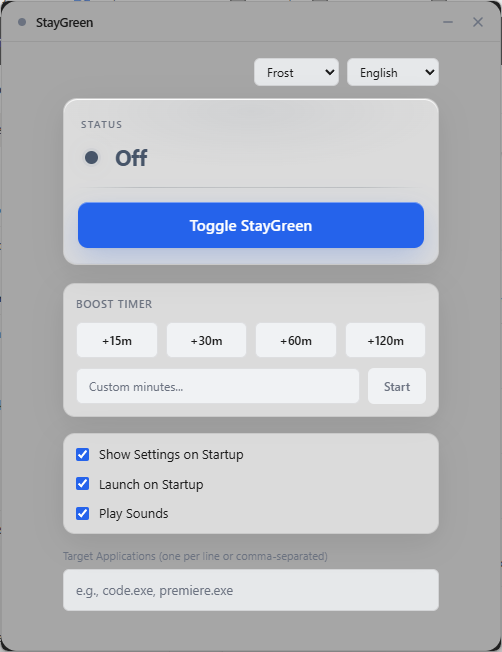
It follows the foreground window, not process existence. StayGreen registers for the Windows event that fires when the foreground window changes, and evaluates the rule at that moment. It resolves the window's owning process, reads the executable's filename, lowercases it, and compares it against your list. So the hold applies while a listed application is the window you are working in. Minimise it, or switch to something else, and the hold releases — even though the process is still running.
For the cases people usually want this for — editing, reading, presenting, monitoring a dashboard on screen — that is exactly right, because those are all activities where the app is in front of you. For a background job it is the wrong tool, and a timed session is the right one. Worth knowing rather than discovering.
Releasing goes to watching, not off. When focus moves away, the state returns to a watching state that means "enabled, rules armed, nothing currently held". The rule is still live and the next match re-acquires the hold. This is deliberate: a rule that switched itself off on the first release would need re-enabling every time you alt-tabbed.
Precedence is defined. If you have explicitly turned StayGreen off, the rule does not override you. If a timed session is armed, that outranks the rule, so a session cannot be cut short by focusing an unlisted window. Hardware pauses sit above everything — a listed app in the foreground on battery still pauses, if the battery rule is on.
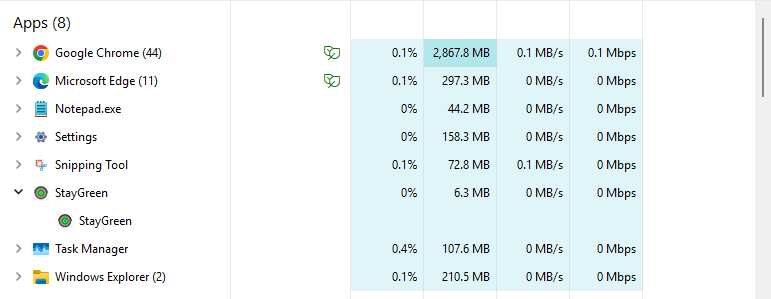
Why an event hook rather than a loop. The alternative implementation is a timer that asks what the foreground window is every second or so. That works and it also means constant wakeups forever, most of which observe nothing changed. StayGreen instead receives a notification when focus actually changes, so between changes it does no work at all. The same principle applies across the app: one scheduled wake per timed session, and power, lid, and session state arriving as notifications. That is an architectural claim, not a measured one — there is no benchmark in the app, and no CPU or memory number here is being presented as measured.
Practical notes. Rules are executable filenames, so `code.exe` matches wherever it is installed and you do not have to maintain paths. Matching is case-insensitive. The hook is registered so that StayGreen's own window does not trigger its own rules. Process inspection uses the limited-information access right, which is why none of this needs administrator privileges.